
Client To do’s
Building health habits through scheduled tasks
Written by Lee Wilson
updated over a week ago
Tasks help you to manage your client’s progress, they build healthy habits and are a great way to interact with your clients.
You can schedule your clients ‘to do’s’ through your individual clients To do’s page, your clients ‘Schedule’ page, or you can set global tasks to run periodically through the Engage page.
What is a ‘to do’?
A ‘to do’ is an action that you’re asking your client to complete, all to do’s are scheduled and are shown on your clients home screen of the uniquefit client app. To do’s are essentially a list that helps you and your clients to keep track of their progress.
Types of to do’s
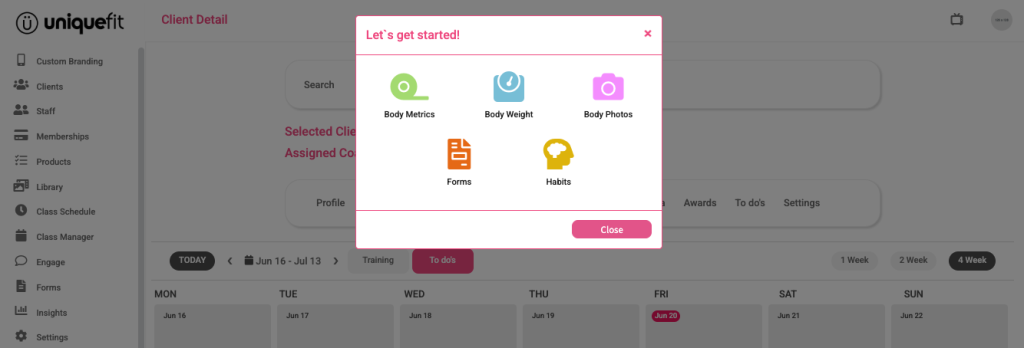
There are 5 main types of to do’s that you can assign
Body Metrics
Body Weight
Progress Photos
Forms
Habits
From your selected clients ‘Schedule’ tab

To assign a To-Do, move your mouse over the date you want and click the green plus icon in the top right corner of that day.
This will open a pop-up window where you can choose what kind of To-Do to assign. You can:
-
Request a Body Metric
-
Ask for the client’s Body Weight
-
Request Progress Photos
-
Assign a Form
-
Assign a Habit
For information on each option please follow the links below:
Requesting a clients Body Weight
Requesting Body Metrics
Requesting Progress Photos
Assigning Forms
Assigning Habits
