
Booking Availability
Setting how far into the future your clients can book
Written by Lee Wilson
updated over a week ago
When running classes, appointments, and anything else that requires a client to book onto a session, you have the option to add your own booking button image and restrict the number of days into the future a client can book.
Adding your own Booking Button Image
To allow clients to book your services through the Uniquefit client app or your custom-branded app, you’ll need to enable the ‘Bookings’ feature in your Global Settings, within your Membership Settings, or within your clients individual settings page.
Once enabled, a new booking button will appear on your clients’ app home screen, giving them access to your calendar and the ability to make bookings.
If you’d like to customise the booking button with your own background image, go to the ‘Settings’ page and scroll down to ‘Booking Settings’. Click on the ‘Booking Button Image’ icon to upload your image.
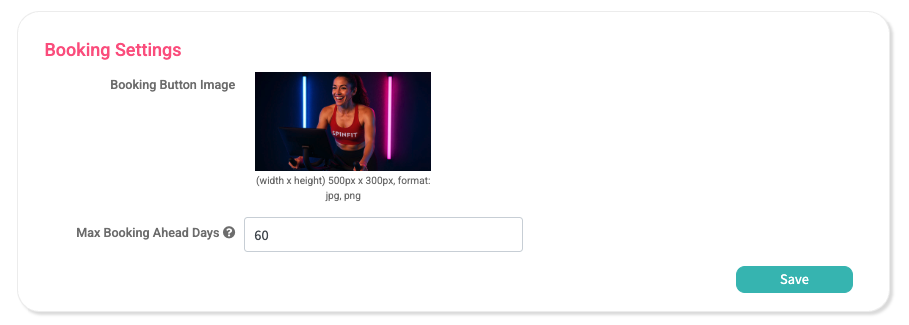
Setting how many days in advance a client can book
Below the booking button image you have the option to set the ‘Max Booking Ahead Days’, this sets how far into the future a client can book your services. For example if you enter 60, this means that clients can only book a session 60-days into the future.
